About PLOT (Project Localized Otaku’s Trifecta)
Project Localized Otaku’s Trifecta (PLOT for short) is the sister project of PISO and thus shares very similar objectives and philosophies as PISO, with the main difference being the media being analyzed and preserved, which are visual novels (VNs for short) and their respective ISOs (I call them ViNISOs) that are relevant to me and my preferences. While PISO is more focused on the preservation aspect of MAPP, PLOT on the other hand is more focused towards on the analysis aspect of MAPP though that doesn’t mean I would hold the preservation aspect of the project with less importance, which is more evident if an anime listed from PISO was adapted from a VN (the reference/source material).
To provide some context regarding the state of VN preservation, they often don’t suffer the issue of availability since the vast majority of VNs are sold in both physical and digital download versions (with both typically being DRM-free). There’s also a great catalogue of VNs that have been English localized. However, the issue of VNs not being English localized (either in physical or digital form), and VNs potentially being lost to time, licensing, negligence, or lack of general interest and proper exposure in other markets outside of Japan are still present especially given the quantity of VNs that exist today (which likely eclipses the amount of anime that also exist). Even though there are people, VN fan communities, and even companies that work hard on creating English translations/localizations of VNs, or restoring original (mature or adult) content that might’ve been censored or even removed in newer versions of VNs (which have been redesigned to be PG-rated or in other words be suitable for “all ages”) via patches (both official and unofficial), they’re severely outnumbered by the vast amount of VNs out there and trying to find sufficient manpower and budget to modify, translate, proofread, debug, or playtest VNs can be difficult at times. Depending on the manpower and budget allocated per project, getting a single VN localized can take months or even years. In worst cases, progress can come to a complete standstill or worse still the project can get cancelled. These barriers and others limit the amount of VNs readers (particularly us here in the west) have access to.
Learn more about PLOT (Project Localized Otaku’s Trifecta)
Learn more about PISO (Project ISOwned) or visit the PISO project page
VNs Recently Added to/Updated in the ViNISO Catalogue
ViNISO Catalogue Guides
▸
ViNISO ID Guide×
ViNISO ID Guide
For PLOT titles, the primary ID is shown like this: PLOT-[Title #][Collection Code]-[Title]-[Fan Disc][Fan Disc #]-[Age Rating]-[Digital/Physical Version/Set Edition]-[Digital/Physical ISO]-[DRM]
Note: Not all attributes above are shown by default.
In addition, a secondary ID for VNDB identification is also added below the PLOT ID(s), which is shown like this: VNDB-v12345. If applicable, specific versions/sets of a VN that were acquired will have an ID that’s shown like this: VNDB-r12345. This ID is included below the first VNDB ID. These IDs will also include a link to the VNDB website where you can find more info about the VN (and their different versions/sets) specified in the entry. If patches are available on a VN listed in the entry/catalogue, links to the patches with the closest relevance to the entry are also provided.
Attribute Legend:
- [Title #]: The number assigned for a VN listed in the catalogue; this is indicated by a number (1, 2, 3, etc.).
- [Collection Code]: Present if there are related content (VNs and/or fan discs) for a VN listed in the catalogue; this is indicated by a letter (a, b, c, etc.); the parent VN title will be designated the code “a” by default if there are related content present and if there are no related content present or if related content are pre-bundled with the parent VN set, this attribute isn’t added.
- [Title]: The name of the VN listed in the catalogue, shortened to three characters.
- [Fan Disc]: Indicates if the VN is a fan disc; this is indicated by the code “FD” respectively; if the fan disc is pre-bundled with the parent VN set, this attribute isn’t added.
- [Fan Disc #]: Present if there are multiple fan discs for a VN listed in the catalogue; this is indicated by a number (1, 2, 3, etc.); if the fan discs are pre-bundled with the parent VN set, this attribute isn’t added.
- [Age Rating]: Indicates if the VN either contains no mature/adult subject matter nor sexual content and is intended to be viewed by anyone (all-ages), contains mature subject matter and suggestive scenes and is intended to be viewed by adolescents (14+), or contains mature/adult subject matter and/or sexual scenes and is intended to be viewed by adults only (18+); this is indicated either by the code “AA” for all-ages titles, “M” for mature-rated titles, “R” for censored adult-rated titles, or “X” for uncensored adult-rated titles respectively.
- [Digital Version/Set Edition]: Indicates the digital version/set acquired for a VN listed in the catalogue; this is indicated by specific codes depending on the version/set, which include (but are not limited to):
- UV: Unrated Version
- DEL: Deluxe Edition
- EE: Enhanced Edition
- STM: Steam Edition
- PE: Perfect Edition
- Note: Digital copies with no specified version/set don’t include the code. If both a physical and digital copy, or different versions of a physical and/or digital copy are acquired, separated IDs will be added that includes the other copies’ version/set edition.
- [Physical Version/Set Edition]: Indicates the digital version/set acquired for a VN listed in the catalogue; this is indicated by specific codes depending on the version/set, which include (but are not limited to):
- FPL: First Press Limited Edition
- SLE: Sofmap Limited Edition
- PKE: Package Edition
- MEM: Memorial Edition
- CSE: CS Edition
- Note: Non-special/regular physical sets don’t include the code. If both a physical and digital copy, or different versions of a physical and/or digital copy are acquired, separated IDs will be added that includes the other copies’ version/set edition.
- [Digital/Physical ISO]: Indicates if the VN is a digital or physical copy; this is indicated by the codes “DISO” and “PISO” respectively; if both a physical and digital copy are acquired, a separate ID will be added that includes the other copy’s ISO type.
- [DRM]: Indicates if the digital or physical copy of the VN contains some form of DRM; this is indicated by the code “DRM”; if there’s no DRM present, this attribute isn’t added; if both a physical and digital copy are acquired, a separate ID will be added that indicates the other copy’s DRM (if it exists).
ViNISO ID Examples:
- PLOT-69-VIS-AA-DISO-DRM
- PLOT-420-VIS-M-PISO
- PLOT-609a-VIS-X-FPL-PISO
- PLOT-609b-VIS-FD-X-FPL-PISO
- PLOT-690a-VIS-R-DEL-DISO-DRM
- PLOT-690b-VIS-FD1-R-DEL-DISO-DRM
- PLOT-690c-VIS-FD2-R-DEL-DISO-DRM
▸
ViNISO Preservation Status/Flag Guide×Physical ViNISO Preservation Status/Flag Guide
Below is a list of flags which help visually indicate the preservation status of any given physical copy of a ViNISO listed in the catalogue. This pertains to the physical condition and/or digital integrity of the discs, disc’s contents, package, and other miscellaneous items that might be included (such as goods found in limited edition or collectors edition sets).

Green Flag
- Disc Case/Box Set Condition: Excellent
- Disc Condition: Excellent
- Bonus Goods’ Condition (if present): Excellent
- ViNISO Backup Status: Complete, fully backed up to Yggdrasil Server

YellowGreen Flag
- Disc Case/Box Set Condition: Good or Excellent
- Disc Condition: Good or Excellent
- Bonus Goods’ Condition (if present): Good or Excellent
- ViNISO Preservation Status: Complete, fully backed up to Yggdrasil Server

Yellow Flag
- Disc Case/Box Set Condition: Good
- Disc Condition: Good
- Bonus Goods’ Condition (if present): Good
- ViNISO Preservation Status: Complete, fully backed up to Yggdrasil Server

YellowRed Flag
- Disc Case/Box Set Condition: Poor or Good
- Disc Condition: Poor or Good
- Bonus Goods’ Condition (if present): Poor or Good
- AnISO Preservation Status: Incomplete, unable to be backed up to Yggdrasil Server or Complete, fully backed up to Yggdrasil Server

Red Flag
- Disc Case/Box Set Condition: Poor
- Disc Condition: Poor
- Bonus Goods’ Condition (if present): Poor
- AnISO Preservation Status: Incomplete, unable to be backed up to Yggdrasil Server

White Flag
- Parent and/or child title in queue/ongoing for preservation

AnyColorWhite Flag
- Child title(s) in queue/ongoing for preservation if the parent title is already listed in the catalogue with a preservation status/flag set
Digital ViNISO Preservation Status/Flag Guide
Below is a list of flags which help visually indicate the preservation status of any given digital copy of a ViNISO listed in the catalogue.

PurpleGreen Flag
- VN acquired is a digital copy and contains no DRM
- ViNISO Backup Status: Complete, fully backed up to Yggdrasil Server

PurpleYellow Flag
- VN acquired is a digital copy and contains some form of DRM
White Flag
- Parent and/or child title in queue/ongoing for preservation
AnyColorWhite Flag
- Child title(s) in queue/ongoing for preservation if the parent title is already listed in the catalogue with a preservation status/flag set
| ViNISO Title # / ID | ViNISO Title & Info | Image Gallery | Package Gallery | Additional Info |
|---|---|---|---|---|
| V33 / PLOT-33a-ONE | ONE ~To the Radiant Season~× VN Title: ONE ~To the Radiant Season~PLOT Title #33aTitle IDs:
ViNISO Info
Preservation Status/Flag:  Most or some (if not all) info and/or links from this ViNISO entry are pulled from VNDB. | Coming Soon | N/A | Additional ViNISO Entry Info× This version of the VN is compatible with Windows 2000/XP/Vista systems, with the VN’s script being identical to the Full Voice Edition. It also uses an updated .exe and is different to the previously released physical Vista Edition despite the name |
| V71 / PLOT-71-HSH | Home Sweet Homecoming× VN Title: Home Sweet HomecomingPLOT Title #71Title IDs:
ViNISO Info
Preservation Status/Flag: Most or some (if not all) info and/or links from this ViNISO entry are pulled from VNDB. | Coming Soon | N/A | Additional ViNISO Entry Info× The physical JP version of this VN can be found at JP storefronts |
| V70 / PLOT-70-HSC | Happiness! Sakura Celebration× VN Title: Happiness! Sakura CelebrationPLOT Title #70Title IDs:
ViNISO Info
Preservation Status/Flag: Most or some (if not all) info and/or links from this ViNISO entry are pulled from VNDB. | Coming Soon | N/A | Additional ViNISO Entry Info× The true title for this VN is “Happiness! 2 Sakura Celebration”, where it shares the same setting as “Happiness!” (its closest match in name) and “Witch’s Garden” VNs; neither of the VNs aforementioned have a dedicated EN localized version and presumably because the “Happiness!” VN hasn’t been EN localized (yet), the “2” was dropped in “Happiness! Sakura Celebration” for its EN localized version |
| V69 / PLOT-69-KFS | Kakenuke★Forward to Our Sparking Youth!×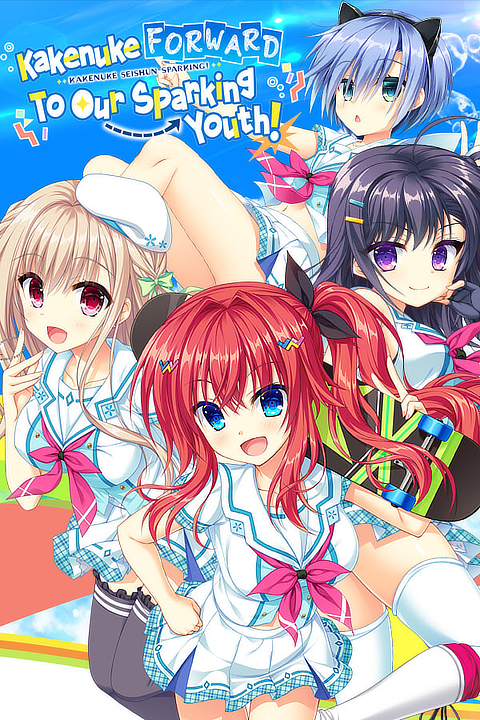 VN Title: Kakenuke★Forward to Our Sparking Youth!PLOT Title #69Title IDs:
ViNISO Info
Preservation Status/Flag: Most or some (if not all) info and/or links from this ViNISO entry are pulled from VNDB. | Coming Soon | N/A | Additional ViNISO Entry Info× Additional info about the PLOT-69-KFS ViNISO:
|
| V68 / PISO-68-LKM | Lolita: Kiss Me Everyday×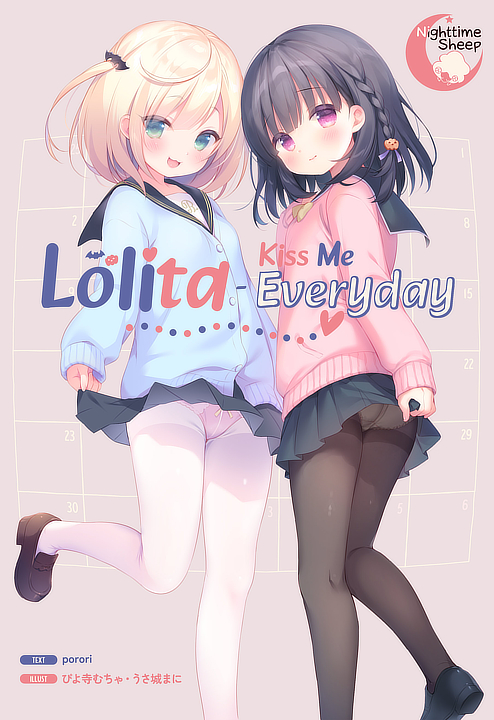 VN Title: Lolita: Kiss Me EverydayPLOT Title #68Title IDs:
ViNISO Info
Preservation Status/Flag: Most or some (if not all) info and/or links from this ViNISO entry are pulled from VNDB. | Coming Soon | N/A | Additional ViNISO Entry Info× Additional info about the PISO-68-LKM ViNISO:
|
Want the full list? See the complete list of VNs added to the PLOT Catalogue.
Pending/Proposed ViNISO Acquisitions
▸
ViNISO Acquisition (Priority Level) Guide×ViNISO Acquisition (Priority Level) Guide
This guide will inform you about the different levels of priority when it comes to acquiring ViNISOs for Project Localized Otaku’s Trifecta.
Level 4 (Important):
A highly wanted title to add to the ViNISO catalogue; listed titles/sets in the ViNISO catalogue that require replacement and/or complimentary sets (to resolve issues or add missing/additional content) are also assigned with this priority level
Level 3 (Somewhat Important):
A wanted title to add to the ViNISO catalogue; listed titles/sets in the ViNISO catalogue that require replacement and/or complimentary sets (to resolve issues or add missing/additional content) are also assigned with this priority level
Level 2 (Somewhat Unimportant):
A nice-to-have title to add to the ViNISO catalogue
Level 1 (Unimportant):
A nice-to-have title to add to the ViNISO catalogue, but it’s only acquired if there are no titles remaining in queue that have a higher priority level
Note: Only titles with a priority level of either 4 or 3 are listed below.
| Priority Level | ViNISO Title & Info | Availability Status | Additional Info |
|---|---|---|---|
| N/A | Coming Soon | N/A | N/A |
Want the full list? See the complete list of VNs pending or proposed for acquisition.
About POP (Pocket Otaku Project)
Pocket Otaku Project (POP for short) is an expansion project for PLOT, tasked with emulating DRM-free VNs (originally designed for Windows systems) using Winlator (a Windows emulator for Android devices), determining which VNs are compatible with the emulator, and showing fellow otakus a more convenient (and potentially discreet) way of playing VNs. The Pocket Otaku Project was conceived not long after discovering Winlator on Github and its ability to emulate DRM-free Windows games on a non-Windows device and operating system (such as Android OS), using Wine and Box86/Box64. Since any VN you can find on Windows don’t require powerful or even modest hardware for stable gameplay (all can run on a CPU’s integrated graphics just fine) with many also having no DRM, porting and emulating applicable VNs on Winlator should be easily feasible since it has been shown to be able to run more computationally and graphically demanding games from the last decade. This project was also inspired by the fact that some JP localized VNs have a native Android version besides the typical Windows or console version, proving that VNs can be ported to (or emulated in) mobile devices with compliant hardware and software. Hopefully through the Pocket Otaku Project, more people (including otakus) can not only learn more about Winlator and what it can do, but also have a glimpse of what the future of mobile gaming could look like, especially as more smartphones discreetly become pocketable yet still capable mini-computers.
Learn more about POP (Pocket Otaku Project)
Learn more about PLOT (Project Localized Otaku’s Trifecta)
Learn more about Winlator or download the latest version of Winlator
VNs Recently Tested on Winlator
▸
VN Emulation Status/Flag Guide×VN Emulation Status/Flag Guide
Below is a list of flags which help visually indicate the emulation status of any given DRM-free copy of a ViNISO listed in the catalogue. This pertains to the overall performance and stability of any given VN being emulated via Winlator.
Green Flag
- VN successfully boots up in the emulator with no to short wait times.
- No performance degradation, graphical issues, nor glitches/bugs noticed when VN is emulated.
- VN can be played from start to finish without issue.
YellowGreen Flag
- VN successfully boots up in the emulator with no to moderate wait times.
- Minor to moderate performance degradation, graphical issues, or glitches/bugs noticed when the VN is emulated.
- VN can be played from start to finish with minor to moderate issues.
Yellow Flag
- VN successfully boots up in the emulator with short to long wait times.
- Moderate performance degradation, graphical issues, or glitches/bugs noticed when the VN is emulated.
- VN can be played from start to finish with moderate issues.
YellowRed Flag
- VN can boot up in the emulator after tweaking the emulator’s settings with short to long wait times.
- Moderate to severe performance degradation, graphical issues, or glitches/bugs noticed when the VN is emulated.
- VN can be played from start to finish but requires workarounds.
Red Flag
- VN can boot up in the emulator after tweaking the emulator’s settings with short to long wait times, or it can’t boot up at all.
- Severe to critical performance degradation, graphical issues, or glitches/bugs noticed when the VN is emulated.
- VN cannot be played from start to finish as there’s too many issues.
White Flag
- VN pending to be tested in the emulator.
▸
Winlator Configuration & Testing Environment×Winlator Configuration (for testing VNs) – “ViNlator” Custom Profile
Graphics & Sound Settings
- Screen Size/Resolution: 1280×720 (16:9)
- Graphics Driver: Turnip (Adreno)
- Turnip Version: 25.0.0
- Max Device Memory: 512 MB
- Enable Direct Rendering: On
- Sync Every Frame: Off
- DX Wrapper: WineD3D
- WineD3D Version: 9.2
- GPU Name: NVIDIA GeForce GTX 480
- Offscreen Rendering Mode: FBO
- Video Memory Size: 512 MB
- Enable CSMT (Command Stream Multi-Thread): On
- Enable Strict Shader Math: On
- Audio Driver: ALSA
- Performance Mode: Low Latency
- Volume: 100%
- Average Latency: 40 ms
Windows Components Settings
- DirectX
- Direct3D: Native (Windows)
- DirectSound: Native (Windows)
- DirectMusic: Native (Windows)
- DirectShow: Native (Windows)
- DirectPlay: Native (Windows)
- General
- Visual C++ 2005: Native (Windows)
- Visual C++ 2010: Native (Windows)
- Windows Media Decoder: Native (Windows)
Environment Variables
- None (no changes)
Advanced Settings
- Box64 Preset: Intermediate
- Input Controls
- Profile: ViNlator TouchKB (Custom)
- DirectInput Mapper Type: XInput
- Preferred Input API: Both
- System
- Exec Arguments: None (no changes)
- Force Fullscreen: Off
Note: Only DRM-free and EN localized VNs with acquired ViNISOs are listed below.
| POP Title # / ID | ViNISO Title & Info | Additional Info |
|---|---|---|
| P8 / POP-8-CHT | My Little Sister’s Special Place× VN Title: My Little Sister’s Special PlacePLOT Title #41bTitle IDs:
ViNISO Info
Emulation Status/Flag:  Most or some (if not all) info and/or links from this ViNISO entry are pulled from VNDB. | None |
| P7 / POP-7-OKO | Onii♥Kiss: Onii-chan, Where’s My Kiss?×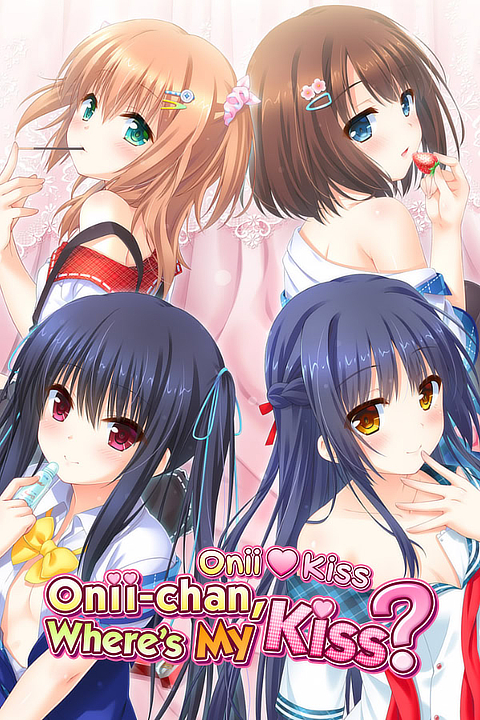 VN Title: Onii♥Kiss: Onii-chan, Where’s My Kiss?PLOT Title #40Title IDs:
ViNISO Info
Emulation Status/Flag: Winlator v10.0 Winlator v10.1 Winlator v10.1Most or some (if not all) info and/or links from this ViNISO entry are pulled from VNDB. | Additional POP Entry Info× Skipping text (using the skip text button) severely reduces the framerate until text is no longer being skipped or the skip text button is toggled off. Sometimes when the character sprites move suddenly or quickly on screen, they stutter for a split second. This VN no longer boots up after updating Winlator to v10.1, the last stable version where this VN boots up was v10.0. |
| P6 / POP-6-CHT | Chinkamo Twins×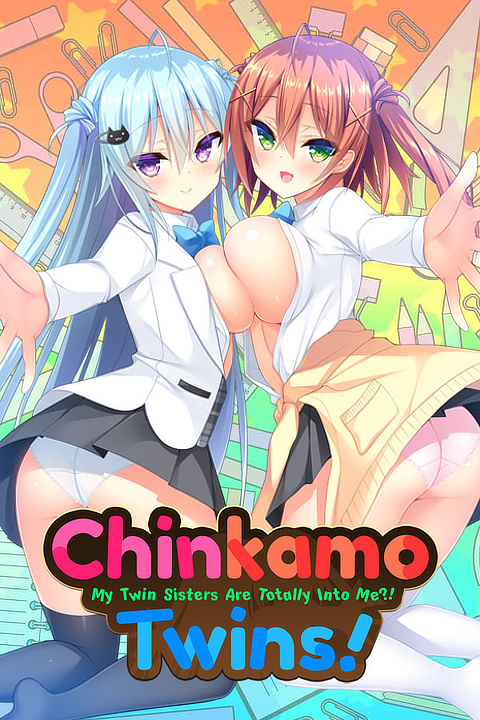 VN Title: Chinkamo TwinsPLOT Title #29Title IDs:
ViNISO Info
Emulation Status/Flag: Most or some (if not all) info and/or links from this ViNISO entry are pulled from VNDB. | Additional POP Entry Info× Either the VN doesn’t boot up at all, or it boots up but the VN only shows a black screen with background music playing; strangely the VN can still be interacted with over the black screen if you click on where the menu prompts should be; possibly a graphics-related issue. |
| P5 / POP-5-SBD | Sisterly Bliss ~Don’t Let Mom Find Out~× VN Title: Sisterly Bliss ~Don’t Let Mom Find Out~PLOT Title #8Title IDs:
ViNISO Info
Emulation Status/Flag: Most or some (if not all) info and/or links from this ViNISO entry are pulled from VNDB. | Additional POP Entry Info× VN takes several seconds to boot; moving the cursor a lot during gameplay drops the framerate by a noticeable amount, emulating the VN’s keyboard controls (using touch controls or controller inputs) when playing bypasses this issue. Changing the Box64 preset to Intermediate or Performance can also help alleviate this. |
| P4 / POP-4-SSM | The Seventh Sign ~Mr. Sister~×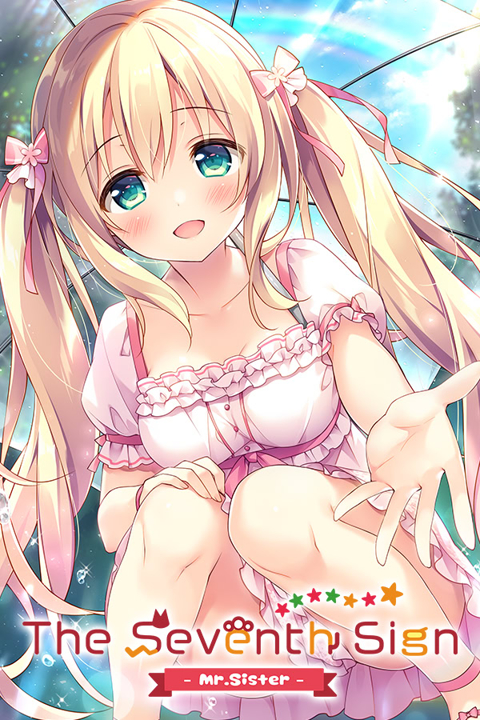 VN Title: The Seventh Sign ~Mr. Sister~PLOT Title #7Title IDs:
ViNISO Info
Emulation Status/Flag: Most or some (if not all) info and/or links from this ViNISO entry are pulled from VNDB. | None |
Want the full list? See the complete list of VNs tested or pending testing on Winlator.
FAQ
Of course you can! In fact, I highly recommend you do so! When you contribute to Project Localized Otaku’s Trifecta and Pocket Otaku Project, you’ll be helping me and yourself ensure that many VNs, no matter how old or obscure, will continue to be enjoyed for generations to come. However, more info regarding ways to contribute to these projects are still being finalized and thus there isn’t anything you can do right now. Please stay tuned for updates regarding this matter. I can assure you that once the details are published, you can start contributing to the greater cause of preserving the VNs you and I enjoy.
In the meantime, a live preview of the Contribute page is available for all visitors to see what guilds/clubs they can learn more about and can join in the future.
There are a variety of sites where you can buy VNs. Below is a list of recommended sites that I personally browse when looking for the next VNs to add to the ViNISO catalogue:
- Sekai Project: Based in Norwalk, California and founded in 2013, this site is the all-ages version of Denpasoft and the company’s default site, where you can purchase digital, DRM-free, and the all-ages version of VNs. Their VN catalogue is very small primarily because of the fact that majority of the VNs listed on this site are also listed on Denpasoft with 18+ patches preinstalled by default. The site formerly sold VN-related goods and merchandise but it appears that has been moved over to Denkai Shoten (Denpasoft/Sekai Project’s new site dedicated to physical goods and merchandise). I see this site as more of an informational company site than a genuine VN storefront so if you’re looking for VNs from Sekai Project (particularly 18+ VNs), you should head straight over to Denpasoft.
- Denpasoft (Sekai Project): This site is the 18+ version of Sekai Project, where you can purchase DRM-free all-ages and 18+ VNs (both in digital and more recently physical though currently there’s only a few VNs that have a physical version). You can visit Denkai Shoten which is their dedicated site for selling doujinshi (that are English translated that are rated for all-ages and 18+) and various VN-related goods and merchandise such as 18+ dakimakuras (body pillows). Their VN catalogue is large which includes publisher/site exclusive VNs, VNs that have been EN localized by Sekai Project’s team, such as the Grisaia trilogy from Frontwing and the Nekopara series from NEKO WORKs, and VNs that are also found at sites such as MangaGamer, JAST USA, Kagura Games, Fakku, and Johren.
- MangaGamer: Based in Tokyo and founded in 2008, this site offers an impressive catalogue of DRM-free all-ages and 18+ VNs (both in digital and physical copies though currently there’s only a few VNs that have a physical version), publisher/site exclusive VNs, and a small catalogue of VN-related goods and merchandise. They also offer VNs that have been EN localized by their own team, such as the Rance series, and carry many VNs that are found at other sites such as Denpasoft, JAST USA, Kagura Games, Fakku, and Johren. Given the company’s age, this is a great place to purchase VNs from the early to late 2000s though some listings from that time period have been delisted due to licensing so if you’re looking to snag some old and/or niche VNs before more kick the bucket, this site is a recommended place to visit.
- JAST USA: Based in San Diego, California and founded in 1996, this site offers a very large catalogue of digital DRM-free 18+ VNs, including VNs from indie developers, publisher/site exclusive VNs, and VNs that have been EN localized by their own team. They also carry many VNs that are found at other sites such as Denpasoft, MangaGamer, Kagura Games, Fakku, and Johren. Given the company’s age, this is another great place to purchase VNs from the late 1990s to the 2000s so if you’re looking to snag some old and/or niche VNs before they’re delisted, this site has you covered. They also formerly sold physical copies of a few VNs back in the 2000s, though you might find secondhand copies on sites like eBay. They’re likely not going to make any more physical copies of VNs and have decided to focus on running their digital storefront.
- Kagura Games: Based in Seattle, Washington and founded in 2018, this site offers a very large catalogue of digital DRM-free 18+ VNs, including VNs from indie developers. They also offer publisher/site exclusive VNs, offer VNs that have been EN localized by their team, and carry many VNs that are found at other sites such as Denpasoft, MangaGamer, JAST USA, Fakku, and Johren.
- Fakku: Founded in 2006 by Jacob Grady, this site is primarily for purchasing adult doujinshi and manga (both in digital and physical form) as this site offers a vast catalogue of them from countless authors, though they also have a large catalogue of digital DRM-free 18+ VNs, including VNs from indie developers. They also offer publisher/site exclusive VNs and carry many VNs that are found at other sites such as Denpasoft, MangaGamer, JAST USA, Kagura Games, and Johren.
- Johren: Based in Katholiki, Limassol (Cyprus), this site offers a large catalogue of digital all-ages and 18+ VNs in English, Japanese, and Simplified Chinese languages, including VNs from indie developers. They also offer publisher/site exclusive VNs, 18+ VNs that are JP localized only (meaning they can’t be played in any other language other than Japanese and can only run on PCs with the system locale/region set to Japanese/Japan), all-ages and 18+ mobile games, and VNs that are found at other sites such as Denpasoft, MangaGamer, JAST USA, Kagura Games, and Fakku. However, all VNs listed on their site contain Johren DRM, which is an account and activation code-based DRM. An activation code and internet connection is required when running any VN from Johren for the first time, though the VN can be played offline without issue afterwards. Johren DRM also has a limit of 3 activations per VN which is tied to your account, and if all 3 activations are used, you must repurchase the VN or create another account then purchase the VN with that account to get 3 more activations.
- DLsite: Based in Tokyo (operated by EISYS) and founded in 1996, this site offers an overwhelming catalogue of all-ages doujinshi, manga, books, magazines, ASMR, Android games, and last but not the least, digital copies of VNs which include those from indie developers. They also offer publisher/site exclusive VNs and carry many VNs that are found at other sites. Given the company’s age, this is an excellent place to purchase VNs from previous decades, though many have been delisted over the years so if you’re looking to snag some old and/or niche VNs before they’re gone, this site is another great place to visit. While they have a large catalogue of VNs that are available in English, the vast majority are only in Japanese and all VNs listed on their site can only run on PCs with the system locale/region set to Japanese/Japan.
The VNs listed on this site also may or may not have DRM, and it varies from one VN and/or publisher to another. VNs that do have DRM will most likely use PlayDRM, which is an activation code-based DRM which also requires internet connection to authenticate. PlayDRM also has 3-5 activations depending on the software and if you’ve used up all the activations, you must contact support and provide proof of purchase (the product number along with the email address that was used to purchase the software) to get more activations. PlayDRM also prevents software that have it from launching in virtual and remote Windows environments (such as Virtual PC, VMware, LAPLINK, Helpdesk, TeamViewer, and other similar environments). There’s also a “virtual battery” system/DRM called “soft-denchi” that may appear on some software. Each time you run the software, the soft-denchi is consumed and once the soft-denchi is fully depleted, it stops working. However, any software sold on DLsite that use soft-denchi contain 100-year virtual batteries, so they’ll run almost indefinitely (you can think of soft-denchi as the fuel that runs the software). However, if you replace your computer with a new one or reinstall the operating system, you will need to charge the soft-denchi again and the previously issued recharge number will not work. You must obtain a new recharge number by accessing the product’s download page then reissue a new recharge number that can be used on the software.- IMPORTANT NOTE: For those outside of Japan, you may experience issues purchasing products (physical or digital) on DLsite using non-Japanese credit cards (VISA, Mastercard, etc.). Only JCB credit cards and other methods (see all compatible payment methods here) are known to work without issue. If you’re planning on purchasing any product on DLsite, it’s HIGHLY RECOMMENDED to purchase them using DLsite points instead (learn more about DLsite points here), as non-Japanese credit cards or payment methods will work without issue when purchasing DLsite points. In addition for visitors outside of Japan, using a VPN (with the location set to Japan) may be required to enter or make purchases from the site.
- Steam: Last but not least, Steam offers a massive catalogue of digital all-ages and 18+ VNs in English, Japanese, and Simplified Chinese languages, with a large amount of them coming from indie developers. Keep in mind that many 18+ VNs (particularly those from large and reputable publishers) are the censored version and require an 18+ patch (either through a DLC or by getting it for free in most cases from the VN publisher’s site) to restore/add the uncensored content. While many VNs contain no DRM on Steam (particularly indie VNs), there are some VNs that have Steam DRM. VNs with this DRM require the Steam Launcher to be installed and for the VN to be tied to your Steam account. If the VN can’t detect that the launcher is running, it won’t start and opens Steam instead. In some cases, the VN can run without the launcher but it will suddenly quit or in rarer cases, it stops responding at all. Note that Steam DRM is considered as a “soft DRM” since it’s possible to bypass or remove this for anyone with enough technical know-how, and Steam DRM is only meant to prevent extremely casual piracy (copying all game files to another computer) as it has some level of obfuscation.
- Honorable Mention — Itch.io: This site offers a massive catalogue of free and premium digital DRM-free all-ages and 18+ indie games from various genres, including VNs. This is your best alternative site to Steam if you’re looking for indie VNs, and if you’re into Yuri or BL VNs you can find an impressive catalogue of them here. This site is an excellent place to support (VN) indie developers so it’s a worthy site to check out every now and then.
- Honorable Mention — DMM: This JP site offers a very large catalogue of digital all-ages and 18+ JP localized VNs, and is a good alternative to DLsite. However, all the VNs listed on their website use soft-denchi (like some of DLsite’s software) though it’s unknown how often you have to recharge the soft-denchi on the VNs (I haven’t personally played a VN with soft-denchi from DMM). My recommendation is that you should go to DLsite first for digital JP localized VNs (if you’re worried about soft-denchi and recharging it) but if you can’t find a specific VN or version of a VN there, then give this site a try.
- IMPORTANT NOTE: For all visitors outside of Japan, you’re required to use a VPN (with the location set to Japan) to enter the site as it’s geo-locked.
Online VN Store and Reference Links (for EN/JP localized digital copies of VNs):
- Sekai Project (All-Ages)
- Denpasoft (18+)
- Denkai Shoten (All-Ages)
- Denkai Shoten (18+)
- MangaGamer (All-Ages)
- MangaGamer (18+)
- JAST USA (All-Ages & 18+)
- Kagura Games (18+)
- Fakku (18+)
- Johren (All-Ages)
- Johren (18+)
- DLsite (software/VN catalogue link)
- Steam
- Itch.io (VN catalogue redirect link)
- DMM (VPN required to enter site)
- VNDB (for reference only)
DRM Info:
- Learn more about Steam DRM (forum post)
- Learn more about PlayDRM
- Learn more about Soft Denchi (virtual battery)
- See all types of DRM used on VNs (VNDB reference)
VNs with DRM Catalogues (VNDB):
- Full list of VNs using Johren DRM
- Full list of VNs using Steam DRM
- Full list of VNs using PlayDRM
- Full list of VNs using Soft Denchi (virtual battery)
- Hate DRM? See the full list of DRM-free VNs
How to Play JP Localized VNs on Windows Systems (DLsite Guides):
- How to set the Windows system locale to Japanese
- How to set Windows to Japanese
- Note that these guides work for all digital or physical copies of JP localized VNs and aren’t exclusive to DLsite VNs
If you’re looking for physical copies of EN localized VNs, you have two sites to check out. The first one is MangaGamer, as they currently have the largest catalogue of physical copies for EN localized VNs at the time of writing. Many of them are from MOONSTONE/MOOSTONE Cherry (which is known for the Princess Evangile, Magical Mariage Lunatics, and Imouto Paradise VNs) and Alicesoft (which is known for the Beat Angel Escalayer R and Rance RPGs/VNs). (All the aforementioned VNs have a physical copy version if you’re curious.) MangaGamer’s physical copies of their VNs may also include other goodies such as a VN soundtrack, wall scroll featuring a VN character (images are 18+), a Steam or DRM-free digital download key card (a digital backup copy of the VN), art booklet, reversible slipcovers, and much more. When it comes to the type of physical media used for MangaGamer’s physical copies of VNs, they are either sold in a DVD-ROM (for older and newer VNs) or a USB (for newer VNs). The second is Denpasoft, where they’ve been recently offering physical copies of a few EN localized VNs, which includes the ChronoClock, Island Diary, Love’s Sweet Garnish, and Making * Lovers VNs. Their physical copies don’t contain other goodies unlike MangaGamer’s though their prices are appropriate and competitive. Denpasoft’s physical copies of VNs are only sold in a DVD-ROM. When it comes to DRM, physical copies of EN localized VNs from either site have no DRM.
For those who want a JP localized physical copy of a VN, meaning that you either understand Japanese, have obtained an unofficial English translation patch (fan translations) from links provided by VNDB, or have obtained the digital EN localized version and you just want a JP localized physical copy for VN preservation (and the physical goodies that may be included in JP first press/deluxe/limited/collector’s edition sets), ZenMarket is my recommended go-to site. ZenMarket is a JP proxy shopping site that’s not a VN storefront nor affiliated with any of the sites listed above and is a great alternative to eBay, offering worldwide shipping. ZenMarket lists new/open box/pre-owned items from various JP sites like Rakuten, Amazon JP, JDirectItems, ZenPlus, Rakuma, Mercari, minne, Digimart, Luxe Auctions, and many others. You can also take a URL to an item that you want to buy from any JP site not listed here and let ZenMarket handle the rest (checking stock, purchasing, etc.). Because of this, it allows you to purchase items from various sites and pool them into one package, saving you on shipping costs and time.
- Tip: To save yourself some hassle searching for your VN (or any other item) on ZenMarket, you should properly identify and list the item(s) you’re looking to buy ahead of time. In the case of VNs, note the full JP and/or EN localized title and you can refer to VNDB for proper identification. Skipping this step may lead to frequent irrelevant and/or inaccurate results, even with search filters applied. My recommendation is that you should search whatever item you’re looking for in Japanese first for improved search results before switching to English.
- Tip: When browsing Japanese sites that don’t provide or have limited English translation, Google Translate is your best friend. By default, Chrome will auto-translate upon loading any site/page outside your set region/language. If the page doesn’t auto-translate, refresh the page. If that doesn’t work, click on the three dots on the top-right of the browser to pull up additional options then select “Translate”. When the pop-up appears, toggle to English (or another language by clicking the three dots in the pop-up then selecting “Choose another language”) to translate the whole page. Do note that Google Translate can’t translate words on images, icons, site banners, and other image-based elements (unless you use the mobile app where you can use the phone camera to snap an image to translate anything that resembles text on the image, or similar tools). Lastly, ZenMarket does provide English translation on all listings when searching for any item through their site.
- IMPORTANT NOTE: Not all JP web storefronts are compatible with ZenMarket using its “search/add item via URL” option, presumably because they’ve blocked ZenMarket and proxy shopping sites in general (it might hurt their business in some way though that can be debatable), or their website just doesn’t support this option due to the way it is designed. An example of this based from my personal experience would be Sofmap/Sofmap★Akiba, after previously trying to add item URLs from their site to ZenMarket (this might change after time of writing). Therefore, try to stick with the sites listed on ZenMarket when shopping (see the list below) before resorting to other sites not listed.
Keep in mind that while there are some popular JP localized VNs with English fan translations such as Yosuga no Sora, ToHeart2 (X-Rated), Kanon (18+ version), AIR (18+ version), and many more, the vast majority don’t, which severely reduces the amount of JP localized VNs that can be played in English. So before shopping for any JP localized physical copy of VNs and to save yourself some hassle, it’s highly recommended to do some research first on VNDB to determine which VNs have an English (fan) translation. As for the type of media, physical copies of JP localized VNs are either sold in DVD-ROMs (for VNs from early 2000s and newer), CD-ROMs (for VNs from the 1980s to early 2000s), or in game console cartridges/discs (see next FAQ below). Like their EN localized counterparts, physical copies of JP localized VNs also have no DRM in most cases however, some VNs require the physical disc in order to play them (provide proof that you still own the disc) despite being installed locally on your system. To get around this, you can try to clone the original ISO by copying/burning its contents onto an empty disc then mounting that cloned ISO and check if the already installed VN still sees the cloned ISO as a “genuine” copy. For VNs with multiple discs for storing game data, you’re typically only required to clone one of the ISOs. Lastly in relation to VNs with multiple discs, some physical copies of JP localized VNs require to be installed in sequence using two discs, which can be identified as “Disc 1” and “Disc 2” or “Blue Disc” and “Orange Disc” respectively. In that case, you’d first mount “Disc 1”, “Blue Disc” or whatever the first disc is identified as, then go through the installation process. At some point during installation, you’d see a message that (when translated) says to replace the first disc with the second disc (“Disc 2”, “Orange Disc” or whatever the second disc is identified as). After you replace the first disc with the second disc, simply press the button that (when translated) says “OK”, “Continue”, or anything similar to finish the installation.
- IMPORTANT NOTE: JP localized physical copies of VNs for Windows systems can only run with the system locale/region set to Japanese/Japan. You can overcome this hurdle by using Locale Emulator if you want to play JP localized VNs with the system locale set to English, though this still requires your system’s region to be set to Japan. If Locale Emulator doesn’t work, you can either manually change your system locale/region to Japanese/Japan or create a Windows VM (using Hyper-V if you have Windows Pro) with the system locale/region set to Japanese/Japan. Note that you don’t need to set the Windows/system language to Japanese after changing the system locale/region in either scenario. In most cases, the VNs should work with the Windows/system language set to English (or a different language) but if they don’t work, that likely means you also need to change the Windows/system language to Japanese either manually or through Locale Emulator. If that still doesn’t let you run the VNs, see the second guide link below “How to Play JP Localized VNs on Windows Systems (DLsite Guides)”.
- ***CAUTION***: If you manually change your system locale/region to Japanese/Japan, while there’s no risk of your system from breaking completely there’s a chance that you’ll encounter these potential issues:
- Garbled Text: This is the most common issue when changing your system locale/region. Many older applications (especially those from regions with different character sets, like Japanese games or software) were written without full Unicode support. If your system locale doesn’t match the encoding they expect (like Shift-JIS for Japanese), text in these programs can appear as unreadable squares, question marks, or random characters.
- Corrupted Filenames: Similarly, non-Unicode programs might create files or folders with names that become garbled or unreadable if the system locale isn’t set appropriately.
- Program Malfunctions: While less common for modern Unicode-aware applications, some programs might behave unexpectedly or even fail to install or launch if their expected locale environment is not met.
- Installer/Setup Issues: The installation process of certain software might encounter problems if it’s designed with a specific locale in mind and your system’s locale differs.
- File Paths: In some instances, depending on the locale, backslashes in file paths might display as different characters (e.g., yen symbols in Japanese locale), a remnant of older encoding issues.
- If you want to avoid these risks in your system, you must create a Japanese Windows VM using Hyper-V and a Japanese Windows ISO (as your installation media) to ensure maximum compatibility with all JP localized VNs. Additionally, do not make any unnecessary changes to the VM or to the VN itself (either during or after the installation process) unless if it’s absolutely necessary (you’re troubleshooting problematic VNs for example), and make frequent backups of your VM and by extension your VNs in case something goes wrong.
- ***WARNING!!!***: If the VN you’re trying to install via disc suddenly fails (due to issues with the disc drive or your disc drive suddenly fails for example based on my personal experience in a VM), there’s a good chance that it will corrupt your Windows registry, which can quickly lead to these issues, some of which are severe or critical:
- System Instability and Crashes: This is one of the most common and frustrating outcomes. Windows relies heavily on the registry for its core operations and if crucial registry entries are damaged, the system can become unstable, leading to frequent freezing, unresponsiveness, and sudden restarts with a BSOD (commonly known as the Blue Screen of Death). The specific error messages on the BSOD often point to various system files or drivers.
- Application Malfunctions: Programs may refuse to start, displaying error messages like “Application failed to initialize” or simply doing nothing when you try to open them. Applications might crash unexpectedly or freeze frequently during use. Software may lose its personalized settings, revert to default configurations, or behave erratically because it can’t read or write its required registry entries. If registry entries related to an uninstalled program are corrupted, it might prevent a clean uninstallation, leaving behind remnants that cause issues.
- Boot Issues: In severe cases, especially if critical boot-related registry hives (like SYSTEM or SOFTWARE) are corrupted, Windows might fail to start at all. You might see a black screen, a “Missing Operating System” error, or get stuck in a boot loop. Even if it eventually boots, a corrupted registry can significantly slow down the startup process as Windows struggles to read necessary configuration data.
- Hardware Malfunctions: Drivers for hardware components (graphics card, sound card, network adapter, USB devices) rely on registry entries. Corruption can lead to devices not being recognized, not working correctly, or displaying error codes in Device Manager. USB drives, printers, scanners, or other external devices might not function or be detected by Windows.
- Error Messages: You might encounter frequent pop-up error messages during normal operation, indicating issues with various system components or applications. These errors can be generic or very specific, sometimes pointing to missing or corrupted .dll files.
- If you want to avoid these risks in your system, it’s HIGHLY recommended to use a 5.25″ internal disc drive that isn’t region-locked (and add an external enclosure if you can’t install one in your system) when installing VNs via disc as they’re generally known to be more reliable than external disc drives. If you’re using a VM and want to install VNs there via disc, you can pass that disc drive through the VM in the VM’s configuration settings.
ZenMarket Guides & Tutorials:
How to Play JP Localized VNs on Windows Systems (DLsite Guides):
- How to set the Windows system locale to Japanese
- How to set Windows to Japanese
- Note that these guides work for all digital or physical copies of JP localized VNs and aren’t exclusive to DLsite VNs
How to Create a Windows Virtual Machine (VM) using Hyper-V (in case Locale Emulator doesn’t work):
- An overview of Hyper-V (read this first)
- Hyper-V system requirements (read this first)
- How to install Hyper-V
- How to create and configure a virtual network switch (for device/internet connectivity in the VM)
- How to create a Windows virtual machine (VM)
- Note: To install Windows on your virtual machine, you need a Windows ISO file from Microsoft by clicking on this link then assign that downloaded ISO to the virtual machine. Alternatively, if you own a physical copy of a Windows ISO you can mount the disc then assign the ISO to the VM during the VM creation process
ZenMarket/Partner Links and Reference Links (for JP localized physical copies of VNs):
- ZenMarket (JP)
- Melonbooks (JP; ZenMarket “search/add item via URL” supported)
- Toranoana (JP; ZenMarket “search/add item via URL” supported)
- Mandrake (JP; ZenMarket “search/add item via URL” supported)
- VNDB (for reference only)
While all JP localized VNs are originally designed for Windows systems, there are many that have been ported over to JP localized game consoles such as the Sony PlayStation family of systems (which include the PS1/2/3/4, PSP and PS Vita), Sega Dreamcast, Xbox 360, and even the Nintendo Switch (Original). These ported versions typically have improvements over the original PC version, such as brand new content or voiced dialogue just to name a few. On the mobile side of things, there’s a small amount of VNs that can be played on Android and/or iOS phones. However, you’re required to use the JP version of Google Play/App Store since I doubt that you’ll find many VNs (that are EN localized) on the NA (or any other region) version of Google Play/App Store.
In the case of DLsite VNs that are available for Android/iOS phones, you’re required to use DLsite ADV or DL Play Box. DLsite ADV is an APK/app (for Android phones only) where you can download compatible JP localized VNs from DLsite on your phone, though an internet connection is required to play the downloaded VNs and has fewer capabilities than DL Play Box. Meanwhile, DL Play Box is an app for both Android and iOS phones where you can play compatible JP localized VNs from DLsite on your device via streaming, which removes the need to download or install the VN data files on your phone (if your phone has a small storage capacity for example). DL Play Box also has exclusive features that aren’t present in DLsite ADV, such as save backups, touch keyboard configuration, and control type switching between mouse or gamepad mode. Note that the DL Play Box app is exclusive to the JP version of Google Play/App Store, and that you need a DLsite account for both apps to download compatible VNs which are also required to be tied to your account.
Alternatively, you can also access/stream your PC remotely using third-party applications such as GeForce Experience*/Moonlight, Sunshine/Moonlight or Apollo/Artemis. Either pair of applications will require some setting up and technical knowhow but if they’re installed and configured properly, this will enable you to stream your PC and by extension your VNs remotely to any compatible device (via an app) such as another PC or under the context of the topic, mobile devices such as your phone. Note that streaming your PC to another device requires a stable and quick internet/cellular connection. If you want the connection to be secure and private at all times regardless of your location, network, and/or device you access your PC from, using a VPN that works with either pair of applications is also recommended. I personally use Tailscale to secure my remote PC streaming sessions and it has been confirmed to work with Moonlight based on my experience.
- *IMPORTANT NOTE: The new NVIDIA app (that replaced GeForce Experience) is NOT compatible with Moonlight because the Gamestream (NVIDIA Shield) settings (which is required for Moonlight) have been removed (only GeForce Experience has these settings). If you still have GeForce Experience installed in your system, DO NOT UPGRADE TO NOR DOWNLOAD the new NVIDIA app if you plan on using Moonlight. If you already have the NVIDIA app, you have to use Sunshine or Apollo instead. If you don’t have the NVIDIA app or GeForce Experience installed, you can still download GeForce Experience from other sources such as the Internet Archive (the NVIDIA website doesn’t have the download link for GeForce Experience anymore at the time of writing). (BUT BEFORE YOU DO THIS, DOUBLE AND TRIPLE CHECK IF IT’S GENUINE BEFORE DOWNLOADING/INSTALLING IT IN YOUR SYSTEM!!!)
- Reddit thread about where to download GeForce Experience
How to Play Compatible DLsite VNs on Android/iOS:
More Information About PC Streaming Applications & Dependencies:
- Learn more about Sunshine (PC streaming host/server; Moonlight dependency)
- Learn more about Moonlight (PC streaming client/app for Sunshine; GeForce Experience dependency)
- Learn more about Apollo (PC streaming host/server and a fork of Sunshine; Artemis dependency)
- Learn more about Artemis (PC streaming client/app for Apollo; was originally named Moonlight Noir)
- Learn more about Tailscale (VPN client/host for securing PC streams and much more)
All digital and/or physical copies of VNs I personally purchase for Project Localized Otaku’s Trifecta and Pocket Otaku Project are bought from genuine online sites/third-party sellers that are highly reputable and/or are highly recommended by online communities. You can see a list of them in the previous FAQs. I do not and will never make purchases from sites and/or sellers that do not have the qualities aforementioned or if insufficient evidence is present to prove the site or seller is genuine and/or reputable. All physical copies of VNs (and the physical goodies that may be included in JP first press/deluxe/limited/collector’s edition sets) are visually inspected for any kind of damage or physical tampering upon delivery, and digital tampering when inspecting/installing the content in the disc(s). Secondhand physical copies of VNs purchased from ZenMarket (using its partner or external links), other JP online storefronts (using ZenMarket), or eBay will undergo the same process but more time will be spent on the inspections, ignoring any damage that’s been disclosed/acknowledged prior to purchase and delivery during the visual inspection.
I do not encourage myself to pirate and/or own pirated VNs unless I’m forced to do so if (AND ONLY IF) I believe that [insert VN/VN fan disc/other content here] is at risk of being lost or forgotten to either time or neglect, and/or there are no more legitimate sources left where I can get a digital or physical copy of that VN. This will be more evident if I’m very interested in [insert VN/VN fan disc/other content here]. If I (in the very rare instance) happen to own pirated VNs, they’re NOT SHARED with anyone and they’ll be deleted immediately once I own a legitimate digital or physical copy of that VN. While there’s typically no issue when it comes to obtaining digital or physical copies of VNs since there are a plethora of legitimate sources to choose from, once availability fully dries up for any given VN it’s only a matter of time before people will resort to more drastic measures. If the worst does come for any VN, it’s up to ourselves to try and navigate through uncertain and dangerous waters. Remember, two men did say that:
“Piracy is almost always a service problem and not a pricing problem.”
Gabe Newell
“If buying isn’t owning, piracy isn’t stealing.”
Markus Persson (Notch)